Save or Restore Desktop Icons Layout on Windows 11, or Windows 10 Computer with Desktop Icons Layout Manager. The Complete Layout of Desktop Icons is stored in a data file which can be later used to restore Desktop Icons Layout with a single click.The Software should work on Windows 8.1 as well. Given below screenshot displays the main screen of the Desktop Icons Layout manager which is really easy to understand and use. The Show Desktop Button can be used to view the Desktop from within this software utility. Download this Desktop Icons layout Software on your Windows 10, or Windows 11 Computer and give it a try.
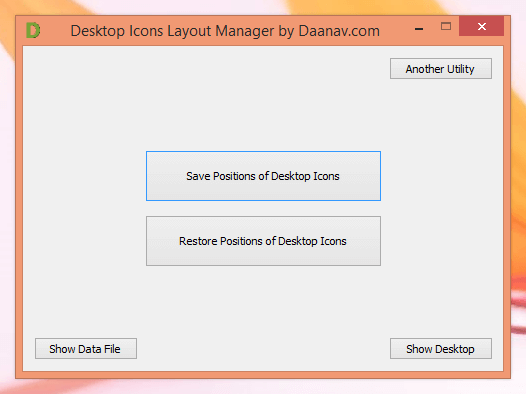
Save and Restore Desktop Icons Position with Desktop Icons Layout Manager
As evident from the Screenshot above, this Desktop Icon Layout Software is a single screen application with only few buttons in it’s Graphical User Interface. You can even manually backup the Layout File with the help of the Show Data File button. Saving and Restoring Desktop Icons Layout can be really useful when switching between different Monitor Resolutions or when using Dual or Multiple Monitors with your Windows Computer. Many Direct X based Games often switch Display Resolution due to which position of Desktop Icons can become really messed up.
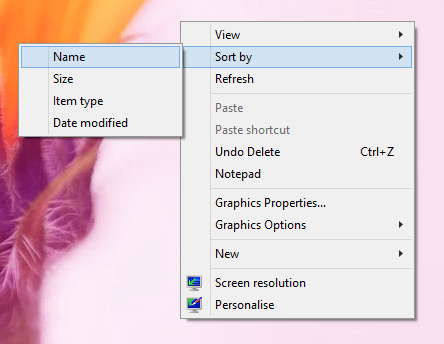
Sort Desktop Icons with Desktop Right Click menu
Microsoft Windows does provides a quick way to sort Desktop Icons by Name, Size, Item Type or Date modified. On the other hand, this Desktop Icons Layout Manager saves position of each icon in a data file. This Software Utiility works on 64 bit Windows Operating Systems on your Desktop or Laptop Computer, and yes this Desktop Icon Layout Software works without any issues on Free to download and try basis. Activation Fees of $8.76 is required to be paid after the software trial is over.
You can also Watch a Video Tutorial which displays how to Install Desktop Icon Layout Manager Software. Once Installed the Video Tutorial Displays how you can Save Desktop Icons Position and then later Restore the Complete Desktop Layout on your Windows 10 onward Operating System.